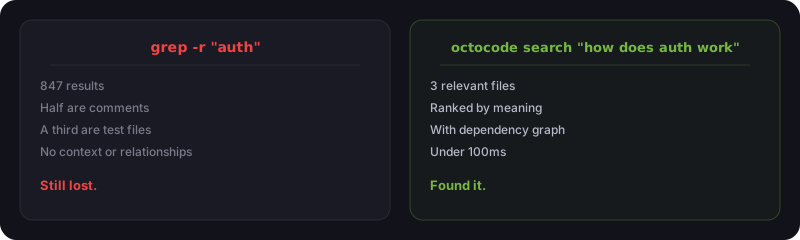
You just joined a project with 400,000 lines of code across 12,000 files. Someone asks you to fix the authentication flow. You grep -r "auth" and get 847 results. Half are comments. A third are test files. None of them tell you how authentication actually works.
That's the problem we kept hitting. And it's why we built Octocode.
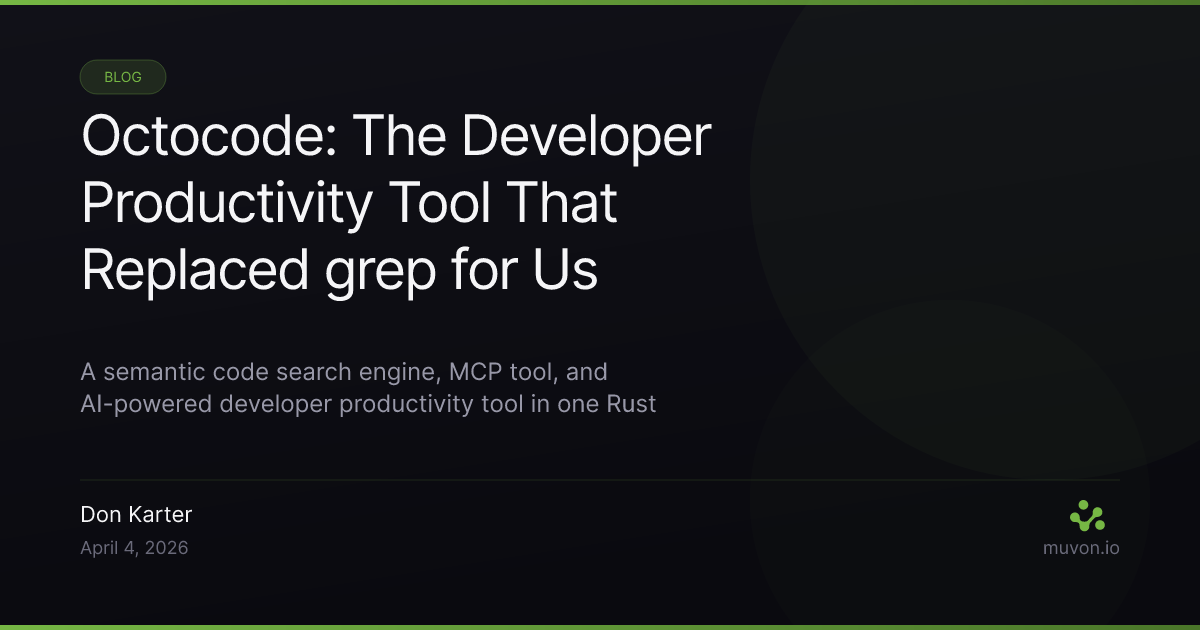
Octocode is a developer productivity tool built in Rust — semantic code search, MCP server, and AI-powered toolkit in one binary. You ask it "how does user authentication work?" in plain English, and it returns the 3-5 files that actually matter with context about how they connect. It runs locally, works as an MCP tool for Claude and Cursor, and turns your codebase into a queryable knowledge graph.
We use it every day. It's the tool behind how Octomind — our AI agent runtime — gets built and shipped at speed by a two-person team. It's our secret weapon. And it's open source.
We just shipped v0.13.0 with commit search, AI-powered diffs, automatic releases, code explanation, and RaBitQ vector compression. Here's the full picture.
The pain that started it
We build a lot of software. Multiple repos, multiple languages, projects that go back years. The problem wasn't writing code — it was finding code. Understanding what already existed before writing something new.
grep is fast but dumb. It finds strings, not meaning. GitHub search is slow and limited to public repos. ChatGPT loses context past 128K tokens. Every time we onboarded onto an old project, we burned hours re-reading files we'd already read six months ago.
The question was simple: what if code search worked the way your brain works? You don't think "find me the string authenticate" — you think "how does login work?" The tool should understand that difference.
So we built one.
What Octocode does
At its core, Octocode does four things:
1. Semantic search — Ask questions in natural English. It converts your query into a vector embedding, compares it against embeddings of every code chunk in your project, and returns the most semantically relevant results. Not keyword matches — meaning matches.
2. Code structure analysis — Extract function signatures, class definitions, and module interfaces from any file or glob pattern. Understand what a file does without reading every line.
3. Knowledge graphs (GraphRAG) — Map relationships between files: who imports what, which modules are siblings, how data flows through the system. Ask "how is file A connected to file B?" and get an actual answer.
4. AI-powered developer tools — Semantic diffs, automated code review, intelligent commit messages, codebase explanation, and multi-language release management. Not separate tools bolted on — they're built on the same indexing and search engine.
All of this is exposed as an MCP server — meaning Claude, Cursor, Windsurf, or any MCP-compatible AI assistant can use it directly. Your AI stops guessing about your codebase and starts knowing.
How we actually use it
Before diving into features — this isn't a tool we built and forgot about. We use Octocode daily to build Octomind, our AI agent runtime.
Here's what our typical day looks like:
- Morning:
octocode diff --stagedto review what Ava (our AI collaborator) shipped overnight. Not 200 lines of diff — a brief that says "Added retry logic to the MCP transport layer, refactored error handling in 3 files." - Before a PR:
octocode review --staged --focus securitycatches things we'd miss. Rate limiters accidentally removed. SQL injection vectors. Unsafe unwraps in Rust. - Commit time:
octocode commitgenerates messages from the actual diff. No more "fix stuff" commits. - Releases:
octocode releasereads every commit since the last tag, decides on a version bump, generates a changelog, and updates version files across Cargo.toml, package.json, or whatever your project uses. - All day: Claude Code uses Octocode as its MCP server. When we ask "how does the embedding pipeline work?" — Claude searches the actual code, reads it, and answers. No hallucination.
This is the workflow that lets two people and an AI ship like a much larger team.
The CLI: AI tools for developer productivity
Octocode started as an MCP tool. But the more we used it, the more we realized: this thing needs to work standalone too. Not everything happens inside an AI chat.
octocode search — semantic search from your terminal
# Single query
octocode search "how is user authentication implemented"

# Multi-query for thorough results
octocode search "auth middleware" "JWT token validation" "session management"

# Search specific content types
octocode search "database migration" --mode code
octocode search "why did we change the API" --mode commits

# Control output detail
octocode search "auth" --detail-level full
Multi-query is the killer feature here. Instead of one search hoping to catch everything, you fire 3-4 related queries and get results that cover the full picture. The engine deduplicates and reranks across all queries.
Detail levels let you control how much code comes back: signatures for a quick scan, partial (default) for smart truncation, or full for everything.
octocode view — signatures without the noise
# View all Rust function signatures
octocode view "src/**/*.rs"

# Check a specific module's interface
octocode view "src/api/*.ts" --md

# Multi-language at once
octocode view "**/*.{rs,ts,py}"
This is one of those features that sounds simple but saves real time. You're reviewing a PR that touches 8 files. Instead of opening each one and scrolling, you run octocode view with a glob and get every function signature, struct definition, and type export in one output. Markdown mode (--md) makes it paste-friendly.
We use this heavily in the MCP server too — when Claude needs to understand a module's interface before editing it, view_signatures gives it the structure without dumping 2000 lines of implementation.
octocode diff — the brief, not the patch
This is new in v0.13. And it's changed how we review AI-generated code.
# What changed in my staging area?
octocode diff --staged

# What happened between branches?
octocode diff main..feature-branch

# Focus on specific concerns
octocode diff --staged --focus security
octocode diff --staged --focus performance
Here's why this matters now more than ever. AI coding tools generate big diffs. A single Claude session might touch 15 files across 400 lines. Reading that raw diff takes 20 minutes. octocode diff reads it in seconds and gives you a brief: what changed, why it matters, what to watch for.
The --focus flag is sharp. Pass security and it flags removed validations, exposed endpoints, hardcoded secrets. Pass performance and it highlights new allocations, blocking calls, missing indexes. We run both before every merge.
octocode explain — understand anything
# Explain a specific file
octocode explain src/auth/middleware.rs

# Explain a concept across the codebase
octocode explain "how does the embedding pipeline work"
Point it at a file and get a structured breakdown: what it does, what it depends on, what depends on it. Point it at a concept and it searches semantically, then synthesizes the results into an explanation. Great for onboarding onto unfamiliar parts of a codebase.
octocode review — catches what humans miss
octocode review --staged
octocode review --focus security --severity high
Not a replacement for human review. But it consistently catches things we'd skip: unused imports, inconsistent error handling, potential race conditions, security issues. We run it before every PR now. The severity filter keeps it from being noisy.
octocode commit — commit messages that mean something
git add .
octocode commit
octocode commit --yes  # skip confirmation
Analyzes staged changes, generates a commit message that actually describes what happened. Not "update files" — something like "refactor: extract embedding batch processing into standalone pipeline with retry logic." Small thing, but it adds up when you're making 20 commits a day.
octocode release — automated multi-language releases
octocode release
octocode release --dry-run
octocode release --force-version "2.0.0"
This one's a sleeper. It reads every commit since the last git tag, uses an LLM to determine the right version bump (patch, minor, or major), generates a structured changelog, and updates version files.
The multi-language part matters: it handles Cargo.toml (Rust), package.json (Node), composer.json (PHP), pyproject.toml (Python), and go.mod (Go). If your project uses multiple languages, it updates all of them.
We use this for every Octocode release itself. The v0.13 changelog — with its categorized features, improvements, and bug fixes — was generated by octocode release.
octocode stats — quick pulse check
octocode stats
octocode stats --format json
File counts by language, line counts, indexed status. Useful for CI dashboards or just answering "how big is this project?"
How indexing works

When you run octocode index, here's what happens under the hood:
- File discovery — walks the repo, respects
.gitignoreand.noindex, handles symlinks - AST parsing — Tree-sitter parses each file into an abstract syntax tree. This is how Octocode understands code structure — functions, classes, imports, exports — not just text
- Chunking — code gets split into semantic chunks (configurable, default 2000 bytes with overlap)
- Embedding — each chunk gets converted to a vector embedding via your provider of choice
- Storage — vectors go into LanceDB with optional RaBitQ quantization (~32x compression)
- GraphRAG — relationships between files are extracted and stored as a knowledge graph
The whole pipeline is incremental. Change one file, and only that file re-indexes. Switch branches, and Octocode tracks what needs updating. That's the new branch-aware delta indexing in v0.13.
Embedding providers
You choose your own:
Cloud (API key required):
- Voyage AI — best quality for code, 200M free tokens/month (our default)
- Jina AI — strong code embeddings
- Google AI — gemini-embedding-001
- OpenAI — text-embedding-3-small/large
- Together AI — distributed
Local (no API, no network):
- FastEmbed — fastest, 384-dim (macOS)
- HuggingFace — CodeBERT, sentence-transformers (macOS)
One detail that matters: Octocode uses asymmetric retrieval. Code embeddings and query embeddings are generated differently because "how does auth work?" and fn authenticate(token: &str) are semantically related but structurally different. This is a meaningful accuracy improvement over tools that embed everything the same way.
RaBitQ quantization (new in v0.13)
Vectors are big. A 1024-dim float32 embedding is 4KB per chunk. Multiply by thousands of chunks and storage adds up.
RaBitQ compresses vectors by ~32x with minimal quality loss. For most codebases, you won't notice the difference in search quality. But your index goes from 100MB to 3MB. This matters when you're indexing a monorepo.
octocode config --quantization true
octocode index --force  # re-index with compression
Contextual retrieval: the 49% improvement
This is based on Anthropic's Contextual Retrieval research — a technique that reduces retrieval failures by 49%, and by 67% when combined with reranking. We implemented both in Octocode.
The problem with raw code embeddings: a function called process() means nothing in a vector space. Is it processing payments? Parsing HTML? Compressing images? The embedding model can't tell from the function name alone.
Octocode solves this at two levels.
Level 1: Structural context (always on). Every chunk gets file path, language, and symbol names prepended before embedding. So the embedding model sees # File: src/api/auth.rs / # Language: Rust / # Defines: validate_token, refresh_session before the actual code. This alone is a big improvement — the embedding now knows where the code lives and what it defines.
Level 2: LLM-generated descriptions (optional). When enabled, an LLM reads each chunk and writes a 1-2 sentence description of what it does. The prompt is specific: "write what this code does in terms a developer would search for." So process() becomes "validates incoming webhook payloads from Stripe and dispatches to the correct payment handler."
This description gets prepended to the chunk before embedding. The embedding model now has both the code AND a natural-language bridge to it. That bridge is exactly what closes the gap between how developers search ("how do webhooks work?") and how code is written (fn process(payload: &[u8])).
octocode config --contextual-descriptions true
octocode config --contextual-model "openrouter:openai/gpt-4o-mini"
octocode index --force
Costs a few cents per thousand chunks with gpt-4o-mini. For the search quality jump, it's a no-brainer.
Reranking: precision after recall
Vector search is good at recall — finding the right documents in a haystack. But ranking those results precisely? That's where it gets fuzzy. Two results at 0.82 and 0.79 similarity might be in the wrong order.
Octocode uses a two-stage retrieval pipeline. First, vector search pulls the top candidates (wide net, high recall). Then a cross-encoder reranker rescores each result by looking at the full query-document pair together. Not separate embeddings — the actual relationship between your question and each code chunk.
Research shows cross-encoder reranking improves RAG accuracy by up to 40%. In our testing, it consistently pushes the most relevant result to position #1 instead of position #3 or #4. The difference between "useful" and "exactly what you needed."
The reranker runs through octolib and supports multiple providers. It adds a few milliseconds to search latency. Invisible to humans. Invisible to MCP clients.
# Reranking is enabled by default when a provider is configured
octocode config --show  # check reranker settings
Combined with contextual descriptions, this gives Octocode a retrieval pipeline that's closer to state-of-the-art RAG systems than to traditional code search tools.
GraphRAG: the knowledge graph
This is the feature that separates Octocode from "semantic grep."
When you enable GraphRAG, Octocode builds a graph where every file is a node and every relationship is an edge. Relationships include:
- imports — file A imports from file B
- sibling_module — files in the same directory
- parent/child_module — directory hierarchy
Each node stores: file path, AI-generated description, extracted symbols, import/export lists, and vector embeddings.
What can you do with this?
# Find all files related to authentication
octocode graphrag search --query "authentication system"

# Trace how two files are connected
octocode graphrag find-path --source-id src/api/auth.rs --target-id src/db/users.rs

# Get full detail on a file's role
octocode graphrag get-node --node-id src/api/auth.rs

# See all dependencies for a file
octocode graphrag get-relationships --node-id src/api/auth.rs

# High-level codebase overview
octocode graphrag overview
The find-path command is underrated. "How does the auth module connect to the database?" In a big project, that path might go through 4-5 intermediate modules you didn't know existed. GraphRAG finds it.
Import resolution works across languages too — Rust use, Python import, TypeScript import/require, Go package, PHP use — all mapped to actual file paths.
MCP tools: giving AI eyes into your code
This is where Octocode changes how you work with AI assistants.
Claude, Cursor, and Windsurf all support MCP. When you connect Octocode as an MCP server, your AI assistant gets three tools:
| Tool | What it does |
|---|---|
semantic_search |
Search code, docs, text, or commits by meaning |
view_signatures |
Extract structure from files matching a glob pattern |
graphrag |
Query the knowledge graph for relationships and dependencies |
Setup
Add to your Claude Desktop or Cursor config:
{
	"mcpServers": {
		"octocode": {
			"command": "octocode",
			"args": ["mcp", "--path", "/your/project"]
		}
	}
}
That's it. Now when you ask Claude "how does the payment flow work?" — it doesn't hallucinate. It calls semantic_search, reads the actual code, and gives you an answer grounded in your codebase.
With LSP integration
octocode mcp --with-lsp "rust-analyzer"
This adds 6 more tools: goto_definition, hover, find_references, completion, document_symbols, workspace_symbols. Your AI can now move through code the way your IDE does — but programmatically.
Multi-repo proxy
Working across multiple repos? The MCP proxy auto-discovers git repositories in a directory and serves them through a single HTTP endpoint:
octocode mcp-proxy --bind 127.0.0.1:8080 --path /workspace
Performance
Numbers matter more than claims. Here's what we see on real projects:
| Metric | Small (<1K files) | Medium (1-10K) | Large (10K+) |
|---|---|---|---|
| Indexing speed | 500+ files/sec | 200-400/sec | 100-200/sec |
| Search latency | <50ms | <100ms | <200ms |
| Memory | 50-100MB | 100-500MB | 500MB-2GB |
| Storage (with RaBitQ) | ~300KB | ~3MB | ~30MB |
Search latency is the one that matters for MCP. When Claude calls semantic_search, you don't want to wait 5 seconds. Sub-100ms means the AI feels instant.
Indexing is one-time (plus incremental updates). Even a 10K file project indexes in under a minute.
14 languages, one tool
Octocode uses Tree-sitter for parsing, which means real AST analysis — not regex hacks. Currently supported:
Rust, Python, TypeScript, JavaScript, Go, PHP, C++, Ruby, Java, Bash, CSS/SCSS, Lua, Svelte, JSON, Markdown.
Each language gets proper import resolution, symbol extraction, and relationship mapping. The Go parser understands package imports. The Rust parser knows about use and mod. The TypeScript parser handles import and require. This isn't one-size-fits-all — each language parser is tuned.
What changed in v0.13
This is our biggest release. 35 commits. Here's what's new:
- Commit search — search git history by meaning, with lazy-loaded indexing
- AI CLI commands —
diff,explain,stats,review,commit,release - Contextual chunk enrichment — Anthropic's Contextual Retrieval technique
- RaBitQ quantization — ~32x vector compression
- OctoHub and Together AI embedding providers
- Branch-aware delta indexing — smarter incremental updates
- Migrated to rmcp SDK — official Rust MCP implementation for stability
- Improved GraphRAG — better node resolution and path finding
- 7 bug fixes — git root commits, embedding types, reranking, relationship counting
We use Octocode to build Octocode, so every rough edge gets caught fast.
Getting started
macOS (Homebrew)
brew install muvon/tap/octocode
Universal install script
curl -fsSL https://raw.githubusercontent.com/Muvon/octocode/master/install.sh | sh
Works on macOS (Intel + Apple Silicon), Linux (x86_64 + ARM64), and Windows.
From source
cargo install octocode
First run
Set up an embedding provider (Voyage AI gives 200M free tokens/month):
export VOYAGE_API_KEY="your-key"
Index and search:
cd your-project
octocode index
octocode search "how does authentication work"
Enable GraphRAG:
octocode config --graphrag-enabled true
octocode index --force
Connect to your AI assistant as MCP server — see the MCP integration guide for Claude, Cursor, and Windsurf configs.
The real point
We built Octocode because grep doesn't understand code. Not because there's anything wrong with grep — it does exactly what it says. But "find the string auth" and "show me how authentication works" are fundamentally different questions.
The shift from keyword search to semantic search isn't a feature. It's a category change. And with MCP, it's not just for humans anymore — it's how AI assistants understand your code too.
We use it to build everything at Muvon. It's the tool that makes a two-person team possible. And it's free, open source, Apache 2.0.
260+ GitHub stars. 14 languages. One Rust binary. Try it.